

Computer-Use AI for everyone.
We believe we can create a revolution.
Building the foundation for powerful computer-use agents through crowdsourced action datasets, open-source tools, and frontier agent models. We want to improve the world by providing amazing computer-use agents.
AI agents built from your data
Start earning while contributing skills
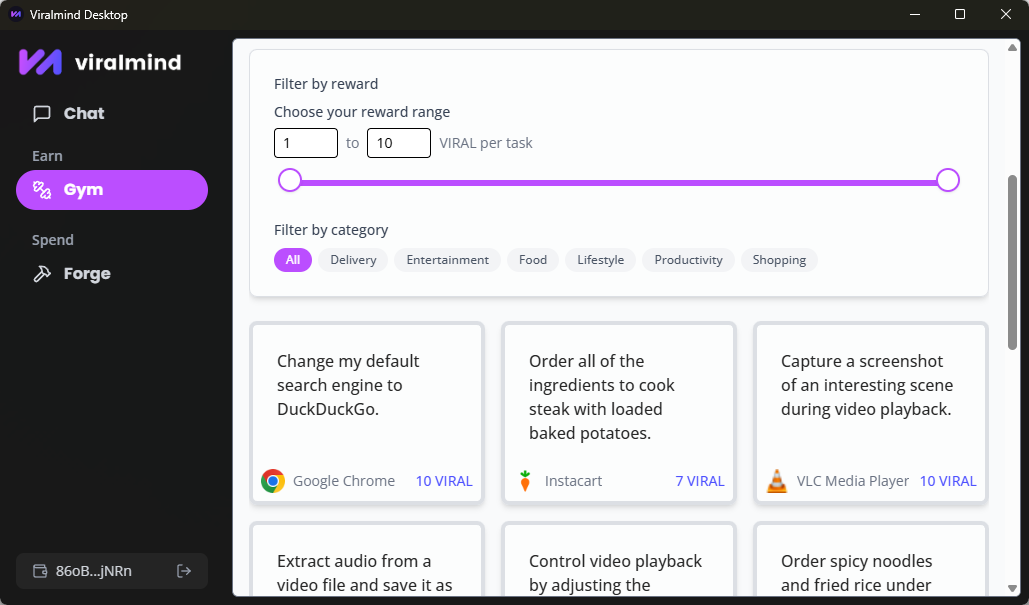
Training Gym
Show AI how to use apps, earn rewards. Get instant $VIRAL payments when you upload demonstrations.
The Forge
Specify your AI needs, we'll handle the rest. Quality demonstrations at scale train your specialized agent.
Describe your dream agent
Video-Language-Action Dataset
The first open dataset of its kind, designed for frontier action models that live on the desktop.
Learn More
Please open Notepad, load the file "largefile.txt" from the Documents folder, and search for the word "example", count all instances. Store the number of "example" counts (and nothing else) in a file named "example_count.txt" under Documents folderpyautogui.moveTo(0.429 * pyautogui.size()[0], 0.814 * pyautogui.size()[1])
pyautogui.click(button='left')
Please open Notepad, load the file "largefile.txt" from the Documents folder, and search for the word "example", count all instances. Store the number of "example" counts (and nothing else) in a file named "example_count.txt" under Documents folderpyautogui.moveTo(0.158 * pyautogui.size()[0], 0.381 * pyautogui.size()[1])
pyautogui.click(button='left')
Please open Notepad, load the file "largefile.txt" from the Documents folder, and search for the word "example", count all instances. Store the number of "example" counts (and nothing else) in a file named "example_count.txt" under Documents folderpyautogui.moveTo(0.294 * pyautogui.size()[0], 0.59 * pyautogui.size()[1])
pyautogui.click(button='left')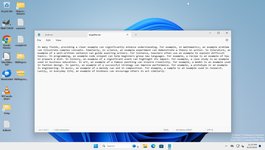
Please open Notepad, load the file "largefile.txt" from the Documents folder, and search for the word "example", count all instances. Store the number of "example" counts (and nothing else) in a file named "example_count.txt" under Documents folderimport os
# Define the paths
documents_folder = os.path.expanduser("~/Documents")
input_file_path = os.path.join(documents_folder, "largefile.txt")
output_file_path = os.path.join(documents_folder, "example_count.txt")
# Initialize the counter
example_count = 0
# Read the large file and count occurrences of "example"
with open(input_file_path, 'r') as file:
for line in file:
example_count += line.lower().count("example")
# Write the count to the output file
with open(output_file_path, 'w') as file:
file.write(str(example_count))
print(f"Count of 'example' has been written to {output_file_path}")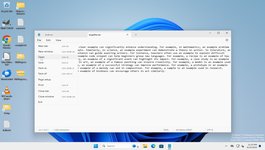
Please open Notepad, load the file "largefile.txt" from the Documents folder, and search for the word "example", count all instances. Store the number of "example" counts (and nothing else) in a file named "example_count.txt" under Documents folderpyautogui.keyDown("ctrl")
pyautogui.keyDown("alt")
pyautogui.moveTo(0.154 * pyautogui.size()[0], 0.382 * pyautogui.size()[1])
pyautogui.click(button='left')
pyautogui.keyUp("ctrl")
pyautogui.keyUp("alt")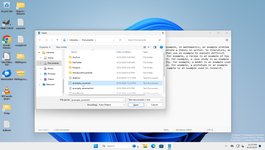
Please open Notepad, load the file "largefile.txt" from the Documents folder, and search for the word "example", count all instances. Store the number of "example" counts (and nothing else) in a file named "example_count.txt" under Documents folderpyautogui.keyDown("ctrl")
pyautogui.keyDown("alt")
pyautogui.moveTo(0.311 * pyautogui.size()[0], 0.557 * pyautogui.size()[1])
pyautogui.click(button='left')
pyautogui.keyUp("ctrl")
pyautogui.keyUp("alt")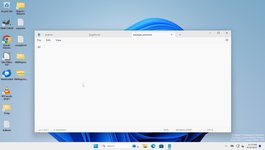
Please open Notepad, load the file "largefile.txt" from the Documents folder, and search for the word "example", count all instances. Store the number of "example" counts (and nothing else) in a file named "example_count.txt" under Documents folderDONE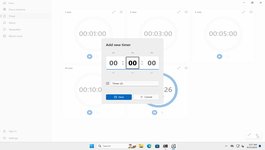
In the clock app, can you set a timer for half an hour? I need to wrap something up by then.pyautogui.press("tab")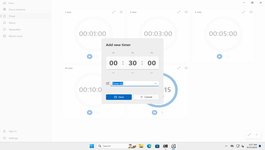
In the clock app, can you set a timer for half an hour? I need to wrap something up by then.pyautogui.keyDown("ctrl")
pyautogui.moveTo(0.469 * pyautogui.size()[0], 0.56 * pyautogui.size()[1])
pyautogui.dragTo(0.415 * pyautogui.size()[0], 0.548 * pyautogui.size()[1], duration=0.323, button='left')
pyautogui.keyUp("ctrl")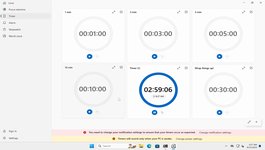
In the clock app, can you set a timer for half an hour? I need to wrap something up by then.pyautogui.keyDown("ctrl")
pyautogui.moveTo(0.447 * pyautogui.size()[0], 0.651 * pyautogui.size()[1])
pyautogui.click(button='left')
pyautogui.keyUp("ctrl")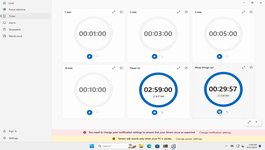
In the clock app, can you set a timer for half an hour? I need to wrap something up by then.DONE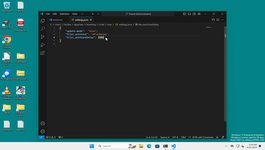
Please modify VS Code's settings to disable error reporting for Python missing imports.pyautogui.moveTo(0.399 * pyautogui.size()[0], 0.249 * pyautogui.size()[1])
pyautogui.click(button='left')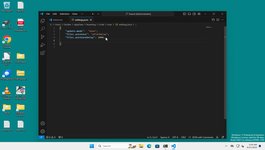
Please modify VS Code's settings to disable error reporting for Python missing imports.pyautogui.press("enter")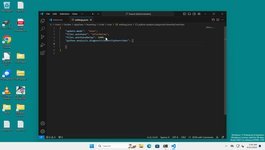
Please modify VS Code's settings to disable error reporting for Python missing imports.pyautogui.press("enter")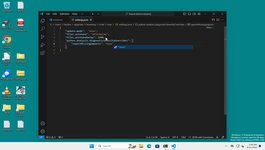
Please modify VS Code's settings to disable error reporting for Python missing imports.pyautogui.hotkey("ctrl", "s")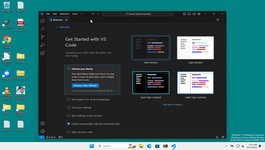
Please modify VS Code's settings to disable error reporting for Python missing imports.DONE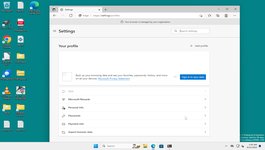
Please help me set Edge to automatically delete all on-device site data every time I close the browser.pyautogui.moveTo(0.698 * pyautogui.size()[0], 0.776 * pyautogui.size()[1])
pyautogui.click(button='left')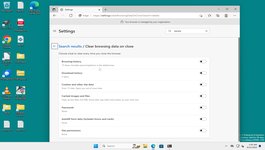
Please help me set Edge to automatically delete all on-device site data every time I close the browser.pyautogui.moveTo(0.374 * pyautogui.size()[0], 0.449 * pyautogui.size()[1])
pyautogui.click(button='left')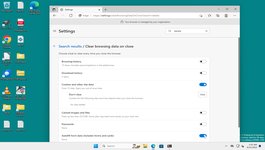
Please help me set Edge to automatically delete all on-device site data every time I close the browser.pyautogui.moveTo(0.772 * pyautogui.size()[0], 0.902 * pyautogui.size()[1])
pyautogui.click(button='left')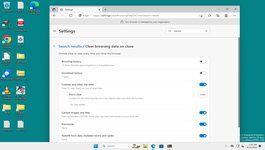
Please help me set Edge to automatically delete all on-device site data every time I close the browser.pyautogui.moveTo(0.764 * pyautogui.size()[0], 0.753 * pyautogui.size()[1])
pyautogui.click(button='left')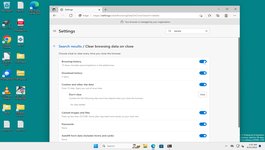
Please help me set Edge to automatically delete all on-device site data every time I close the browser.pyautogui.moveTo(0.769 * pyautogui.size()[0], 0.408 * pyautogui.size()[1])
pyautogui.click(button='left')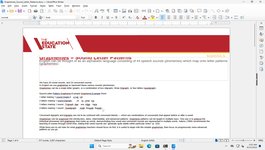
Could you help me convert the text seperated by commas to a table?pyautogui.moveTo(0.386 * pyautogui.size()[0], 0.722 * pyautogui.size()[1])
pyautogui.click(button='left')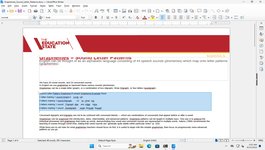
Could you help me convert the text seperated by commas to a table?pyautogui.moveTo(0.389 * pyautogui.size()[0], 0.732 * pyautogui.size()[1])
pyautogui.dragTo(0.144 * pyautogui.size()[0], 0.608 * pyautogui.size()[1], duration=1.034, button='left')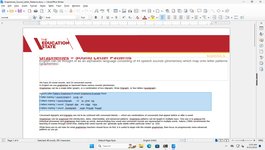
Could you help me convert the text seperated by commas to a table?pyautogui.keyDown("ctrl")
pyautogui.moveTo(0.149 * pyautogui.size()[0], 0.623 * pyautogui.size()[1])
pyautogui.click(button='left')
pyautogui.keyUp("ctrl")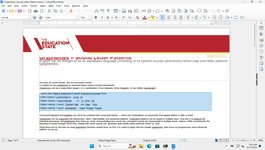
Could you help me convert the text seperated by commas to a table?pyautogui.keyDown("ctrl")
pyautogui.moveTo(0.151 * pyautogui.size()[0], 0.623 * pyautogui.size()[1])
pyautogui.click(button='left')
pyautogui.keyUp("ctrl")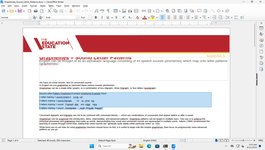
Could you help me convert the text seperated by commas to a table?pyautogui.keyDown("ctrl")
pyautogui.moveTo(0.19 * pyautogui.size()[0], 0.038 * pyautogui.size()[1])
pyautogui.click(button='left')
pyautogui.keyUp("ctrl")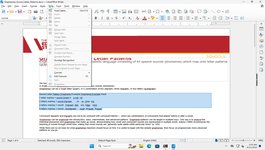
Could you help me convert the text seperated by commas to a table?pyautogui.keyDown("ctrl")
pyautogui.moveTo(0.191 * pyautogui.size()[0], 0.038 * pyautogui.size()[1])
pyautogui.click(button='left')
pyautogui.keyUp("ctrl")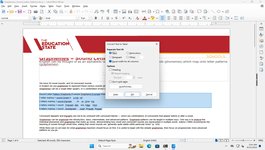
Could you help me convert the text seperated by commas to a table?pyautogui.keyDown("ctrl")
pyautogui.moveTo(0.39 * pyautogui.size()[0], 0.481 * pyautogui.size()[1])
pyautogui.click(button='left')
pyautogui.keyUp("ctrl")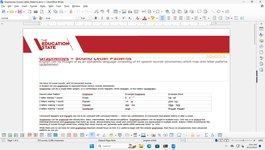
Could you help me convert the text seperated by commas to a table?pyautogui.keyDown("ctrl")
pyautogui.moveTo(0.497 * pyautogui.size()[0], 0.629 * pyautogui.size()[1])
pyautogui.click(button='left')
pyautogui.keyUp("ctrl")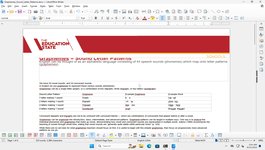
Could you help me convert the text seperated by commas to a table?pyautogui.keyDown("ctrl")
pyautogui.moveTo(0.524 * pyautogui.size()[0], 0.558 * pyautogui.size()[1])
pyautogui.click(button='left')
pyautogui.keyUp("ctrl")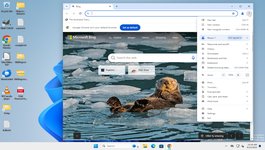
Please help me set Chrome to automatically delete all on-device site data every time I close the browser.pyautogui.moveTo(0.94 * pyautogui.size()[0], 0.09 * pyautogui.size()[1])
pyautogui.click(button='left')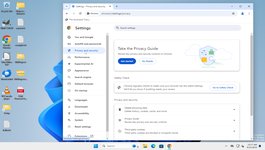
Please help me set Chrome to automatically delete all on-device site data every time I close the browser.pyautogui.moveTo(0.32 * pyautogui.size()[0], 0.339 * pyautogui.size()[1])
pyautogui.click(button='left')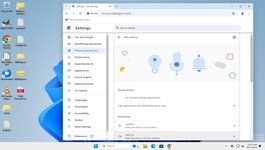
Please help me set Chrome to automatically delete all on-device site data every time I close the browser.pyautogui.moveTo(0.493 * pyautogui.size()[0], 0.888 * pyautogui.size()[1])
pyautogui.click(button='left')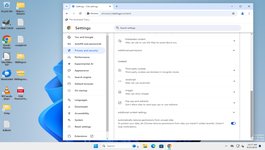
Please help me set Chrome to automatically delete all on-device site data every time I close the browser.pyautogui.moveTo(0.951 * pyautogui.size()[0], 0.906 * pyautogui.size()[1])
pyautogui.click(button='left')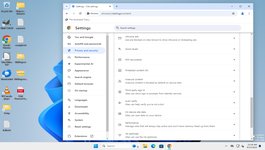
Please help me set Chrome to automatically delete all on-device site data every time I close the browser.pyautogui.moveTo(0.955 * pyautogui.size()[0], 0.898 * pyautogui.size()[1])
pyautogui.click(button='left')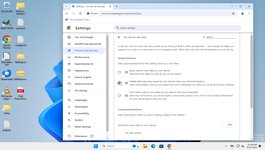
Please help me set Chrome to automatically delete all on-device site data every time I close the browser.pyautogui.moveTo(0.452 * pyautogui.size()[0], 0.552 * pyautogui.size()[1])
pyautogui.click(button='left')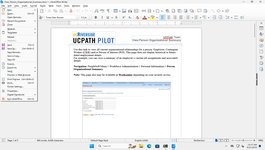
Export the current document into PDF, keep the file namepyautogui.keyDown("shift")
pyautogui.moveTo(0.013 * pyautogui.size()[0], 0.039 * pyautogui.size()[1])
pyautogui.click(button='left')
pyautogui.keyUp("shift")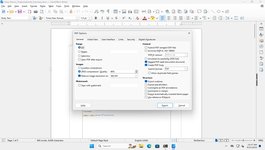
Export the current document into PDF, keep the file namepyautogui.keyDown("shift")
pyautogui.moveTo(0.188 * pyautogui.size()[0], 0.45 * pyautogui.size()[1])
pyautogui.click(button='left')
pyautogui.keyUp("shift")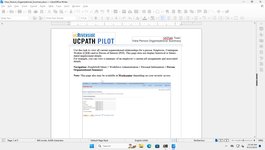
Export the current document into PDF, keep the file namepyautogui.keyDown("shift")
pyautogui.moveTo(0.383 * pyautogui.size()[0], 0.53 * pyautogui.size()[1])
pyautogui.click(button='left')
pyautogui.keyUp("shift")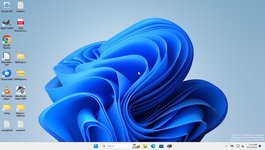
Change my desktop background to a solid color.pyautogui.moveTo(0.522 * pyautogui.size()[0], 0.477 * pyautogui.size()[1])
pyautogui.click(button='right')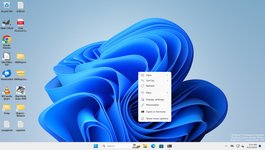
Change my desktop background to a solid color.pyautogui.moveTo(0.522 * pyautogui.size()[0], 0.477 * pyautogui.size()[1])
pyautogui.click(button='right')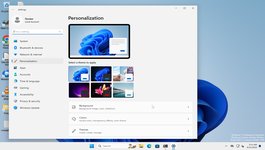
Change my desktop background to a solid color.WAIT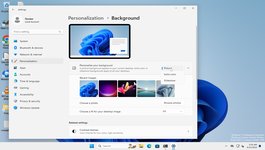
Change my desktop background to a solid color.pyautogui.moveTo(0.644 * pyautogui.size()[0], 0.454 * pyautogui.size()[1])
pyautogui.click(button='left')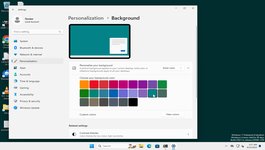
Change my desktop background to a solid color.pyautogui.moveTo(0.578 * pyautogui.size()[0], 0.628 * pyautogui.size()[1])
pyautogui.click(button='left')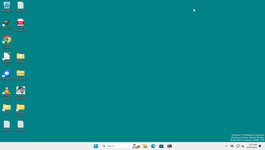
Change my desktop background to a solid color.DONE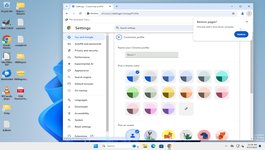
Lately I have changed my English name to Thomas. I want to update my username. Could you help me change the username in chrome profiles to Thomas?pyautogui.moveTo(0.906 * pyautogui.size()[0], 0.187 * pyautogui.size()[1])
pyautogui.click(button='left')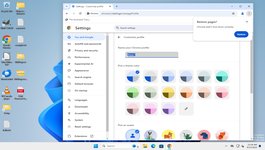
Lately I have changed my English name to Thomas. I want to update my username. Could you help me change the username in chrome profiles to Thomas?pyautogui.moveTo(0.516 * pyautogui.size()[0], 0.368 * pyautogui.size()[1])
pyautogui.dragTo(0.476 * pyautogui.size()[0], 0.364 * pyautogui.size()[1], duration=0.404, button='left')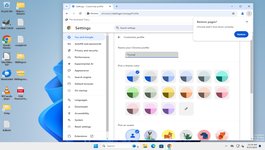
Lately I have changed my English name to Thomas. I want to update my username. Could you help me change the username in chrome profiles to Thomas?DONE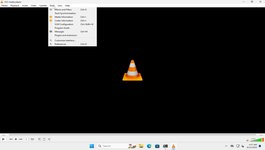
MY VLC Player's volume is too high in general. Can you set the max volume to just 100%?pyautogui.moveTo(0.201 * pyautogui.size()[0], 0.038 * pyautogui.size()[1])
pyautogui.click(button='left')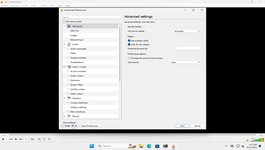
MY VLC Player's volume is too high in general. Can you set the max volume to just 100%?pyautogui.moveTo(0.274 * pyautogui.size()[0], 0.839 * pyautogui.size()[1])
pyautogui.click(button='left')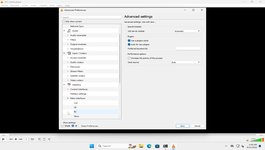
MY VLC Player's volume is too high in general. Can you set the max volume to just 100%?pyautogui.scroll(-120)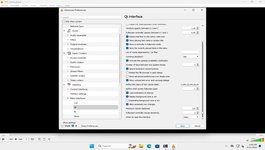
MY VLC Player's volume is too high in general. Can you set the max volume to just 100%?pyautogui.moveTo(0.762 * pyautogui.size()[0], 0.741 * pyautogui.size()[1])
pyautogui.click(button='left')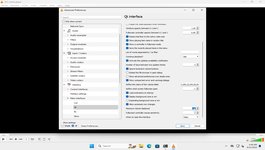
MY VLC Player's volume is too high in general. Can you set the max volume to just 100%?pyautogui.click(clicks=2)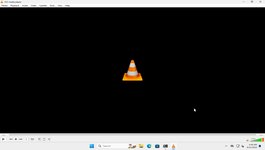
MY VLC Player's volume is too high in general. Can you set the max volume to just 100%?pyautogui.press("enter")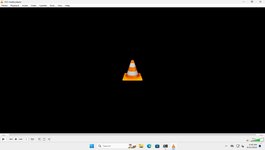
MY VLC Player's volume is too high in general. Can you set the max volume to just 100%?pyautogui.moveTo(0.981 * pyautogui.size()[0], 0.937 * pyautogui.size()[1])
pyautogui.click(button='left')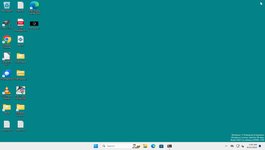
MY VLC Player's volume is too high in general. Can you set the max volume to just 100%?pyautogui.moveTo(0.983 * pyautogui.size()[0], 0.013 * pyautogui.size()[1])
pyautogui.click(button='left')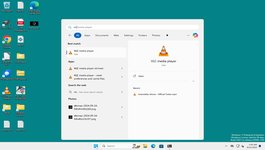
MY VLC Player's volume is too high in general. Can you set the max volume to just 100%?pyautogui.write("vlc", interval=0.1)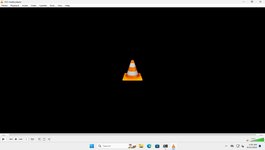
MY VLC Player's volume is too high in general. Can you set the max volume to just 100%?pyautogui.moveTo(0.997 * pyautogui.size()[0], 0.931 * pyautogui.size()[1])
pyautogui.click(button='left')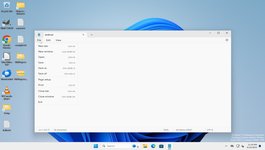
Please open Notepad, load the file "largefile.txt" from the Documents folder, and search for the word "example", count all instances. Store the number of "example" counts (and nothing else) in a file named "example_count.txt" under Documents folderpyautogui.moveTo(0.151 * pyautogui.size()[0], 0.269 * pyautogui.size()[1])
pyautogui.click(button='left')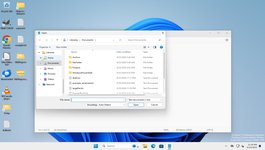
Please open Notepad, load the file "largefile.txt" from the Documents folder, and search for the word "example", count all instances. Store the number of "example" counts (and nothing else) in a file named "example_count.txt" under Documents folderpyautogui.moveTo(0.158 * pyautogui.size()[0], 0.383 * pyautogui.size()[1])
pyautogui.click(button='left')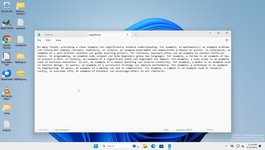
Please open Notepad, load the file "largefile.txt" from the Documents folder, and search for the word "example", count all instances. Store the number of "example" counts (and nothing else) in a file named "example_count.txt" under Documents folderpyautogui.press("enter")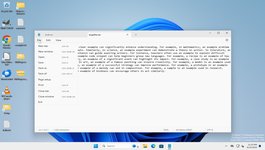
Please open Notepad, load the file "largefile.txt" from the Documents folder, and search for the word "example", count all instances. Store the number of "example" counts (and nothing else) in a file named "example_count.txt" under Documents folderpyautogui.keyDown("ctrl")
pyautogui.keyDown("alt")
pyautogui.moveTo(0.147 * pyautogui.size()[0], 0.268 * pyautogui.size()[1])
pyautogui.click(button='left')
pyautogui.keyUp("ctrl")
pyautogui.keyUp("alt")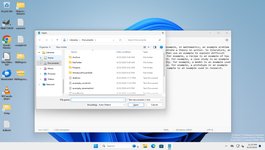
Please open Notepad, load the file "largefile.txt" from the Documents folder, and search for the word "example", count all instances. Store the number of "example" counts (and nothing else) in a file named "example_count.txt" under Documents folderpyautogui.keyDown("ctrl")
pyautogui.keyDown("alt")
pyautogui.moveTo(0.153 * pyautogui.size()[0], 0.384 * pyautogui.size()[1])
pyautogui.click(button='left')
pyautogui.keyUp("ctrl")
pyautogui.keyUp("alt")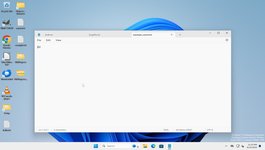
Please open Notepad, load the file "largefile.txt" from the Documents folder, and search for the word "example", count all instances. Store the number of "example" counts (and nothing else) in a file named "example_count.txt" under Documents folderpyautogui.press("enter")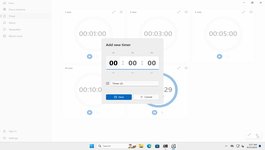
In the clock app, can you set a timer for half an hour? I need to wrap something up by then.pyautogui.keyDown("ctrl")
pyautogui.moveTo(0.97 * pyautogui.size()[0], 0.897 * pyautogui.size()[1])
pyautogui.click(button='left')
pyautogui.keyUp("ctrl")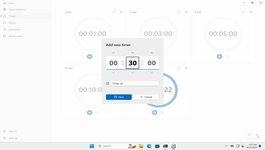
In the clock app, can you set a timer for half an hour? I need to wrap something up by then.pyautogui.write("30", interval=0.1)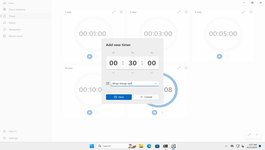
In the clock app, can you set a timer for half an hour? I need to wrap something up by then.pyautogui.write("Wrap things up!", interval=0.1)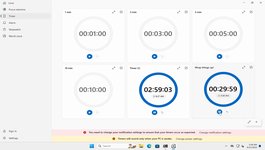
In the clock app, can you set a timer for half an hour? I need to wrap something up by then.pyautogui.keyDown("ctrl")
pyautogui.moveTo(0.829 * pyautogui.size()[0], 0.75 * pyautogui.size()[1])
pyautogui.click(button='left')
pyautogui.keyUp("ctrl")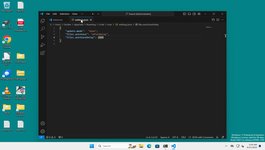
Please modify VS Code's settings to disable error reporting for Python missing imports.pyautogui.moveTo(0.306 * pyautogui.size()[0], 0.132 * pyautogui.size()[1])
pyautogui.click(button='left')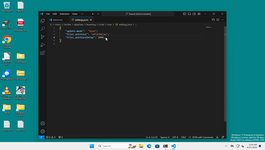
Please modify VS Code's settings to disable error reporting for Python missing imports.pyautogui.write(",", interval=0.1)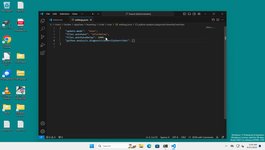
Please modify VS Code's settings to disable error reporting for Python missing imports.pyautogui.write("\"python.analysis.diagnosticSeverityOverrides\": {", interval=0.1)Please modify VS Code's settings to disable error reporting for Python missing imports.pyautogui.write("\"reportMissingImports\": \"none\"", interval=0.1)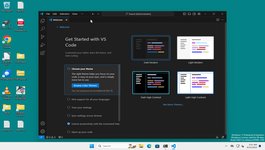
Please modify VS Code's settings to disable error reporting for Python missing imports.pyautogui.moveTo(0.342 * pyautogui.size()[0], 0.131 * pyautogui.size()[1])
pyautogui.click(button='left')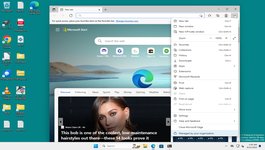
Please help me set Edge to automatically delete all on-device site data every time I close the browser.pyautogui.moveTo(0.886 * pyautogui.size()[0], 0.102 * pyautogui.size()[1])
pyautogui.click(button='left')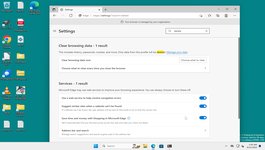
Please help me set Edge to automatically delete all on-device site data every time I close the browser.pyautogui.write("delete", interval=0.1)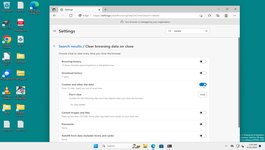
Please help me set Edge to automatically delete all on-device site data every time I close the browser.pyautogui.moveTo(0.767 * pyautogui.size()[0], 0.566 * pyautogui.size()[1])
pyautogui.click(button='left')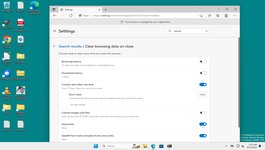
Please help me set Edge to automatically delete all on-device site data every time I close the browser.pyautogui.moveTo(0.765 * pyautogui.size()[0], 0.832 * pyautogui.size()[1])
pyautogui.click(button='left')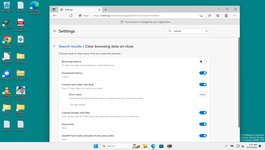
Please help me set Edge to automatically delete all on-device site data every time I close the browser.pyautogui.moveTo(0.767 * pyautogui.size()[0], 0.491 * pyautogui.size()[1])
pyautogui.click(button='left')Please help me set Edge to automatically delete all on-device site data every time I close the browser.DONE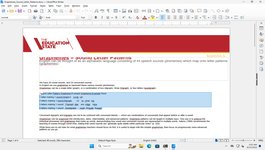
Could you help me convert the text seperated by commas to a table?pyautogui.moveTo(0.386 * pyautogui.size()[0], 0.722 * pyautogui.size()[1])
pyautogui.dragTo(0.149 * pyautogui.size()[0], 0.617 * pyautogui.size()[1], duration=1.04, button='left')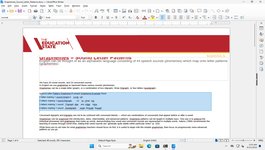
Could you help me convert the text seperated by commas to a table?pyautogui.keyDown("ctrl")
pyautogui.moveTo(0.148 * pyautogui.size()[0], 0.624 * pyautogui.size()[1])
pyautogui.click(button='left')
pyautogui.keyUp("ctrl")Could you help me convert the text seperated by commas to a table?pyautogui.keyDown("ctrl")
pyautogui.moveTo(0.151 * pyautogui.size()[0], 0.623 * pyautogui.size()[1])
pyautogui.click(button='left')
pyautogui.keyUp("ctrl")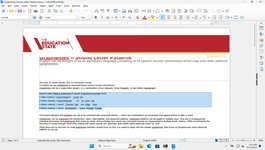
Could you help me convert the text seperated by commas to a table?pyautogui.keyDown("ctrl")
pyautogui.moveTo(0.149 * pyautogui.size()[0], 0.624 * pyautogui.size()[1])
pyautogui.dragTo(0.407 * pyautogui.size()[0], 0.737 * pyautogui.size()[1], duration=0.625, button='left')
pyautogui.keyUp("ctrl")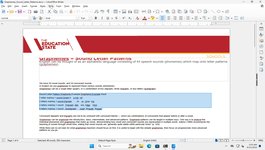
Could you help me convert the text seperated by commas to a table?pyautogui.keyDown("ctrl")
pyautogui.moveTo(0.191 * pyautogui.size()[0], 0.038 * pyautogui.size()[1])
pyautogui.click(button='left')
pyautogui.keyUp("ctrl")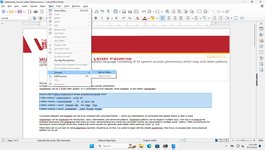
Could you help me convert the text seperated by commas to a table?pyautogui.keyDown("ctrl")
pyautogui.moveTo(0.215 * pyautogui.size()[0], 0.486 * pyautogui.size()[1])
pyautogui.click(button='left')
pyautogui.keyUp("ctrl")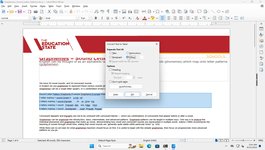
Could you help me convert the text seperated by commas to a table?pyautogui.keyDown("ctrl")
pyautogui.moveTo(0.482 * pyautogui.size()[0], 0.382 * pyautogui.size()[1])
pyautogui.click(button='left')
pyautogui.keyUp("ctrl")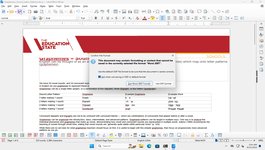
Could you help me convert the text seperated by commas to a table?pyautogui.keyDown("ctrl")
pyautogui.moveTo(0.075 * pyautogui.size()[0], 0.076 * pyautogui.size()[1])
pyautogui.click(button='left')
pyautogui.keyUp("ctrl")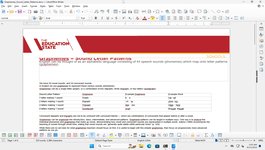
Could you help me convert the text seperated by commas to a table?DONE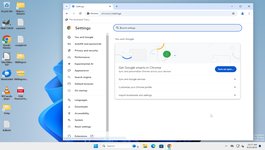
Please help me set Chrome to automatically delete all on-device site data every time I close the browser.pyautogui.moveTo(0.795 * pyautogui.size()[0], 0.759 * pyautogui.size()[1])
pyautogui.click(button='left')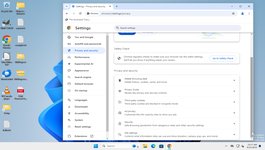
Please help me set Chrome to automatically delete all on-device site data every time I close the browser.pyautogui.moveTo(0.951 * pyautogui.size()[0], 0.88 * pyautogui.size()[1])
pyautogui.click(button='left')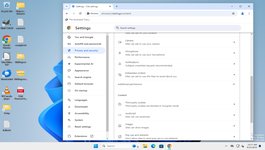
Please help me set Chrome to automatically delete all on-device site data every time I close the browser.pyautogui.moveTo(0.949 * pyautogui.size()[0], 0.886 * pyautogui.size()[1])
pyautogui.click(button='left')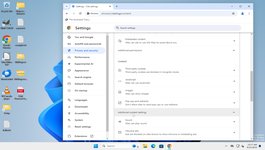
Please help me set Chrome to automatically delete all on-device site data every time I close the browser.pyautogui.moveTo(0.501 * pyautogui.size()[0], 0.756 * pyautogui.size()[1])
pyautogui.click(button='left')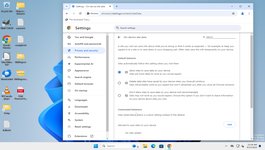
Please help me set Chrome to automatically delete all on-device site data every time I close the browser.pyautogui.moveTo(0.513 * pyautogui.size()[0], 0.752 * pyautogui.size()[1])
pyautogui.click(button='left')Please help me set Chrome to automatically delete all on-device site data every time I close the browser.DONE
Export the current document into PDF, keep the file namepyautogui.keyDown("shift")
pyautogui.moveTo(0.041 * pyautogui.size()[0], 0.453 * pyautogui.size()[1])
pyautogui.click(button='left')
pyautogui.keyUp("shift")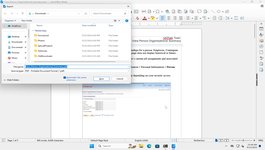
Export the current document into PDF, keep the file namepyautogui.keyDown("shift")
pyautogui.moveTo(0.623 * pyautogui.size()[0], 0.704 * pyautogui.size()[1])
pyautogui.click(button='left')
pyautogui.keyUp("shift")Export the current document into PDF, keep the file nameDONEChange my desktop background to a solid color.pyautogui.moveTo(0.522 * pyautogui.size()[0], 0.477 * pyautogui.size()[1])
pyautogui.click(button='right')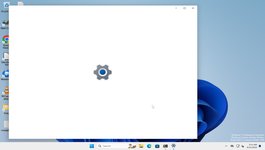
Change my desktop background to a solid color.pyautogui.moveTo(0.574 * pyautogui.size()[0], 0.701 * pyautogui.size()[1])
pyautogui.click(button='left')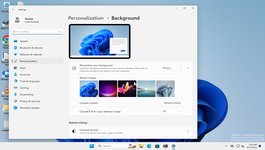
Change my desktop background to a solid color.pyautogui.moveTo(0.331 * pyautogui.size()[0], 0.72 * pyautogui.size()[1])
pyautogui.click(button='left')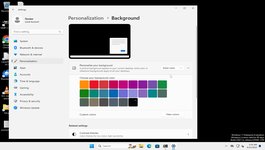
Change my desktop background to a solid color.pyautogui.moveTo(0.642 * pyautogui.size()[0], 0.497 * pyautogui.size()[1])
pyautogui.click(button='left')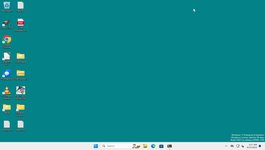
Change my desktop background to a solid color.pyautogui.moveTo(0.73 * pyautogui.size()[0], 0.057 * pyautogui.size()[1])
pyautogui.click(button='left')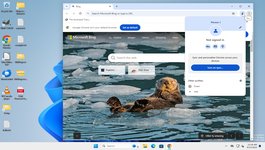
Lately I have changed my English name to Thomas. I want to update my username. Could you help me change the username in chrome profiles to Thomas?pyautogui.moveTo(0.917 * pyautogui.size()[0], 0.09 * pyautogui.size()[1])
pyautogui.click(button='left')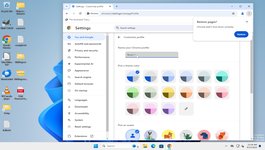
Lately I have changed my English name to Thomas. I want to update my username. Could you help me change the username in chrome profiles to Thomas?pyautogui.moveTo(0.516 * pyautogui.size()[0], 0.367 * pyautogui.size()[1])
pyautogui.click(button='left')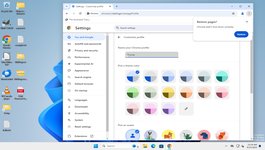
Lately I have changed my English name to Thomas. I want to update my username. Could you help me change the username in chrome profiles to Thomas?pyautogui.write("Thomas", interval=0.1)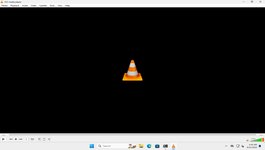
MY VLC Player's volume is too high in general. Can you set the max volume to just 100%?pyautogui.moveTo(0.996 * pyautogui.size()[0], 0.93 * pyautogui.size()[1])
pyautogui.click(button='left')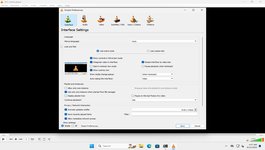
MY VLC Player's volume is too high in general. Can you set the max volume to just 100%?pyautogui.moveTo(0.228 * pyautogui.size()[0], 0.296 * pyautogui.size()[1])
pyautogui.click(button='left')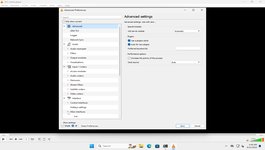
MY VLC Player's volume is too high in general. Can you set the max volume to just 100%?pyautogui.moveTo(0.256 * pyautogui.size()[0], 0.744 * pyautogui.size()[1])
pyautogui.click(button='left')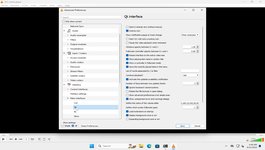
MY VLC Player's volume is too high in general. Can you set the max volume to just 100%?pyautogui.moveTo(0.288 * pyautogui.size()[0], 0.716 * pyautogui.size()[1])
pyautogui.click(button='left')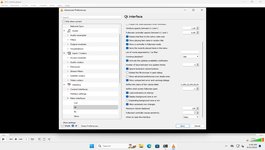
MY VLC Player's volume is too high in general. Can you set the max volume to just 100%?pyautogui.moveTo(0.732 * pyautogui.size()[0], 0.723 * pyautogui.size()[1])
pyautogui.click(button='left')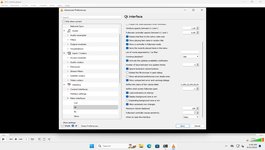
MY VLC Player's volume is too high in general. Can you set the max volume to just 100%?pyautogui.write("100", interval=0.1)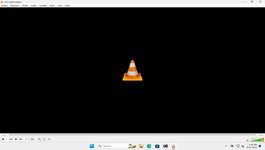
MY VLC Player's volume is too high in general. Can you set the max volume to just 100%?pyautogui.moveTo(0.995 * pyautogui.size()[0], 0.931 * pyautogui.size()[1])
pyautogui.click(button='left')
MY VLC Player's volume is too high in general. Can you set the max volume to just 100%?pyautogui.moveTo(0.995 * pyautogui.size()[0], 0.934 * pyautogui.size()[1])
pyautogui.click(button='left')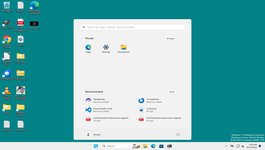
MY VLC Player's volume is too high in general. Can you set the max volume to just 100%?pyautogui.moveTo(0.363 * pyautogui.size()[0], 0.974 * pyautogui.size()[1])
pyautogui.click(button='left')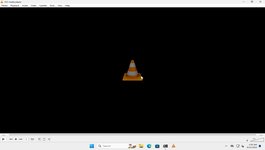
MY VLC Player's volume is too high in general. Can you set the max volume to just 100%?pyautogui.moveTo(0.533 * pyautogui.size()[0], 0.507 * pyautogui.size()[1])
pyautogui.click(button='left')MY VLC Player's volume is too high in general. Can you set the max volume to just 100%?DONEComputer-Use Agent
Chat with VM-1, a state-of-the-art computer-use agent trained with the data generated by the community.
Hi! I'm VM-1, your computer-use assistant. What would you like help with? 🖥️
Can you help me find a good Italian restaurant nearby that's open late?
I'll help you find a great late-night Italian spot! Let me check DoorDash for you.
Ready to get started?
Contribute to the future of AI assistance with our desktop app. Download now and join our growing community.
Frequently Asked Questions
How far along is this project?
We completed our data infrastructure, we're now expanding partnerships while developing advanced action models from community data.
What is a computer-use agent?
An AI system that operates computer applications like a human, handling tasks across multiple programs based on natural language instructions.
Who is behind ViralMind?
ViralMind is founded by AI researchers from MIT and Microsoft passionate about democratizing this technology.
Will the training data also be released?
Yes, we are 'open weights' and 'open data', under MIT license.
How does the data economy work?
Our token rewards quality demonstrations with scaled $VIRAL payments, allowing contributors to grow individually while the community collectively determines fair compensation rates.
What are the tokenomics of $VIRAL?
We launched $VIRAL fairly with no presales, locked dev-supply until 2026, self-funded treasury, with a 20% fee on training pools going towards developer wages and liquidity.